improve the signal quality with analog FPV goggles
Improving the signal quality with analog FPV goggles is essential for a smoother and more reliable flying experience. Analog FPV goggles, while offering a more affordable entry point into the world of first-person view flying, often suffer from signal interference, weaker reception, and lower video quality compared to digital systems. However, with the right techniques, you can enhance the signal quality and minimize disruptions, resulting in a better and more enjoyable flight.
One of the first steps to improving signal quality is ensuring that both your analog FPV goggles and the drone’s video transmitter are operating on the correct frequency. Most analog FPV systems use 5.8 GHz frequencies, but many channels are available within this band, and certain frequencies may have less interference. By using the channel scanning feature on your goggles, you can find a channel with minimal interference from other devices in the area. It’s also crucial to check whether there are any local sources of interference, such as Wi-Fi networks, microwaves, or other FPV pilots flying nearby, which can degrade the signal.
Another effective way to improve the signal quality is by upgrading the antennas on both your analog fpv goggles and the drone’s video transmitter. Standard antennas on analog FPV goggles are often basic and can limit the range and clarity of the signal. Investing in higher-quality, directional antennas like patch or helical antennas can significantly improve the signal reception. Directional antennas focus the signal in a specific direction, increasing both range and clarity, while omnidirectional antennas, while offering broader coverage, can sometimes be less effective in maintaining a strong connection over long distances. Consider using a combination of both types of antennas for optimal performance. Ensure the antennas are properly installed and positioned to avoid obstructions that may block the signal.
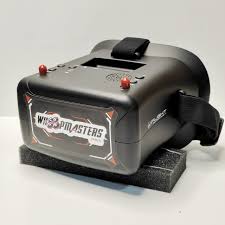
How do you improve the signal quality with analog FPV goggles?
Another factor that can help improve signal quality is the placement of your video transmitter. If the video transmitter is placed in an area that is obstructed by the drone’s frame or other components, it can lead to signal loss or poor quality. To remedy this, consider positioning the transmitter in a location where it has a clear line of sight to your analog FPV goggles. This can minimize signal loss due to obstacles such as the drone’s propellers or body, which can block or reflect the signal.
Reducing the video transmitter’s output power is another approach to maintaining a clean and stable signal. While higher output power can extend the range of the signal, it can also lead to increased interference, especially in densely populated areas with many other FPV pilots. If you’re flying in a crowded area, try reducing the output power on your video transmitter to decrease the chances of signal clashes. Some video transmitters have adjustable power settings, which can help manage the trade-off between range and signal quality.
The quality of your FPV goggles also plays a critical role in the overall signal reception. Ensure that the goggles are in good condition and that the screen’s resolution is sufficient for clear video quality. The internal receiver in your analog FPV goggles should be sensitive enough to pick up weak signals, and if you’re still experiencing poor reception, you may want to upgrade to a more advanced model with better signal-processing capabilities.
In conclusion, improving the signal quality with analog FPV goggles requires a combination of careful frequency selection, antenna upgrades, strategic placement of components, and proper adjustment of transmitter power. By following these tips, you can significantly enhance your FPV experience and reduce the chances of signal loss or video distortion. While analog FPV goggles may not match the clarity of digital systems, these steps can help you get the most out of your setup, making for a more enjoyable and immersive flying experience.